Advanced guides
Introduction to search lenses
What is a search lens?
A search lens controls search results for a specific part of your site or a specific search interface.
Use lenses when parts of the site need different search behaviour. For example, a blog search input can return only blog posts, and a shop search can return only products.
Each lens controls:
- where the lens applies
- which content the lens can return
If you need help, contact support.
Examples
These examples show two common setups.
Blog-only search
In this example, the blog is under /blog.
The header link to /search searches the full site. A search input on the blog searches only blog content.
Open Search lenses under Search behaviour. Select New lens.
To edit another lens, open Search lenses. Select the lens name.
Set these options:
- Set
Paths where this lens should be usedto/blog*so the lens applies on the blog and its subpages. - Leave
Search inputsenabled. - Disable
Search overlayif the header search link must continue to search the whole site. - Disable products and documents if they must not appear in blog search.
- In Paths and tags to include or exclude, exclude everything with
/*, then bring the blog back with!/blog*.
After you save, the header search still searches the whole site. The blog search field returns only blog content.
Multilingual search
Use one lens for each language path. For example:
- acme.org and acme.org/en for English
- acme.org/no for Norwegian
- acme.org/de for German
Search results should use the language of the current page.
Open Include and exclude to set the default rules for English. Exclude the other language sections:
# Exclude Norwegian pages
/no*

# Exclude German pages
/de*
Create one lens for Norwegian and one for German. The image below shows the German lens. Set up the Norwegian lens in the same way.
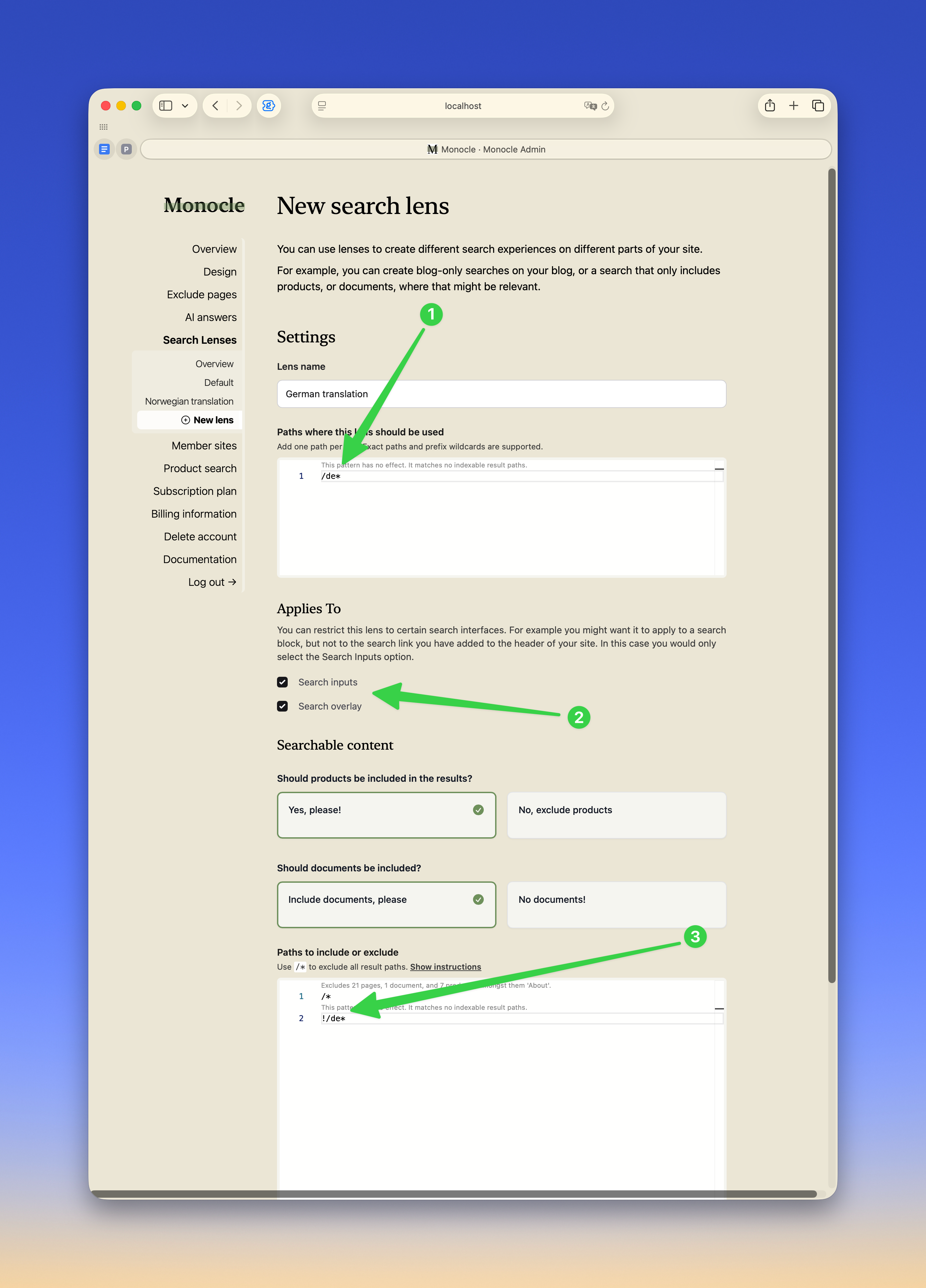
Set these options:
- Set
Paths where this lens should be usedto/de*. Use/de*, not/de, so the lens applies to the full German section and not only the root page. - Enable the search surfaces that should use the German lens. If both
Search inputsandSearch overlayare enabled, both search experiences stay in German. - In Paths and tags to include or exclude, exclude everything with
/*, then bring back German content with!/de*.
Save the lenses. Use the lens tester on the Search lenses page to confirm which lens applies to each path.
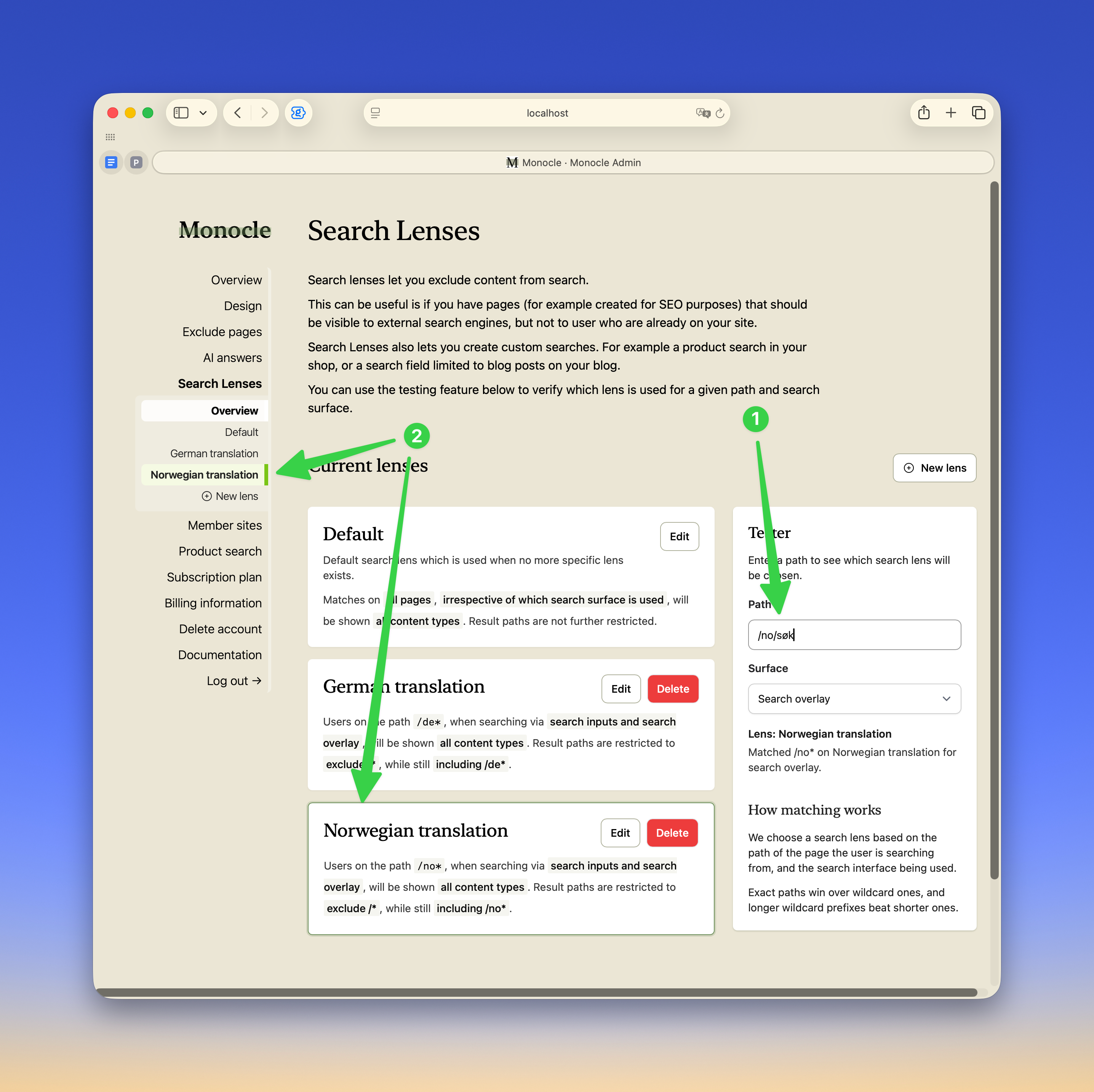
In this example, a Norwegian path selects the Norwegian lens.