How to Use Monocle Search on Member Sites
Requires Monocle "Professional" plan.
Make the Most out of your Member Content
You have lots of members-only content that you have worked hard to create and you want to make sure your customers get the most out of it – and you also want to attract new visitors and turn them into paying customers at the same time too? Then you've come to the right place! Monocle can make your Squarespace Member Sites searchable, and advertise your member content effectively.

How to set it up
Here is what to do if you want to make your member content searchable:
- In the Monocle Search admin interface, open you site and navigate to the "Member Sites" menu item in the side bar.
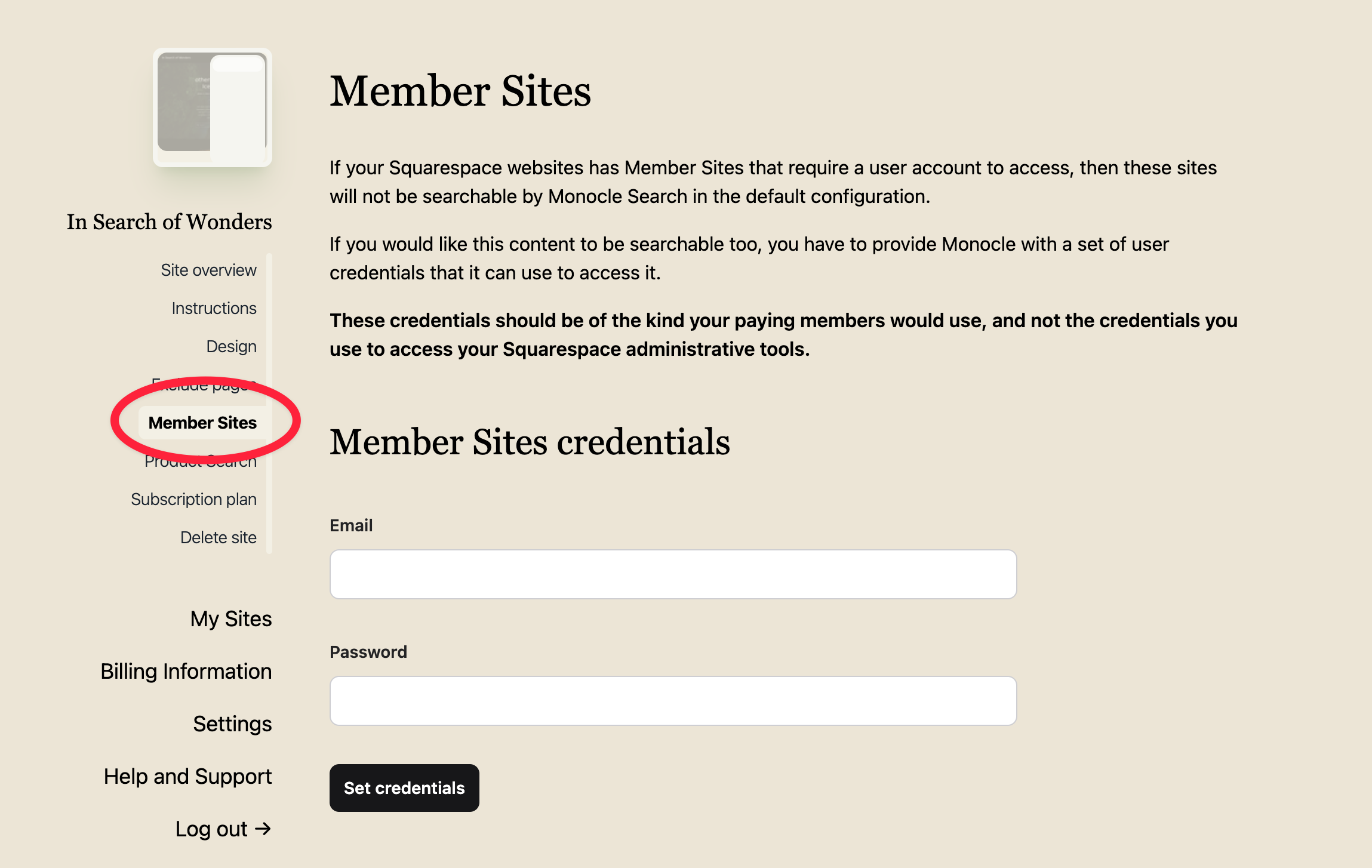
Under "Member Site credentials", enter the credentials for a member site user (not your Squarespace account credentials!). This could be an account you have set up for testing purposes, or one you have created specifically for Monocle. Monocle needs this account to crawl the pages (i.e. read what's in them). Click the "Set credentials" button when you're done.
Optionally, edit the label's visibility on the bottom of the page.
That's it! You're good to go – give it a whirl!
Tip: If the results become messy, you might need to exclude certain pages from the search results – check out our quick guide on how to use Monocle's exclude pages setting.
Troubleshooting
Missing content
If the search results include content from your Member Site but some content appears to be missing, please double check whether the user you configured Monocle Search to authenticate as is one that has access to the full contents of your Member Site!
This can happen if you offer mutliple different plans or tiers, that grant different levels of access to the Member Site. Our search engine will only be able to index as much content as the user you configured it with has access to.